My role

Product design, design systems, print production, AI-assisted build

Impact

Layout, colour and type from three apps become one InDesign file in a single export

Challenge

Each tool was useful alone, but the work stopped at the edge of each app. A grid, a palette and a type scale lived in three places, and I rebuilt them by hand in InDesign every time. I wanted the exploration to flow straight into a real print file.

Process

Three slots

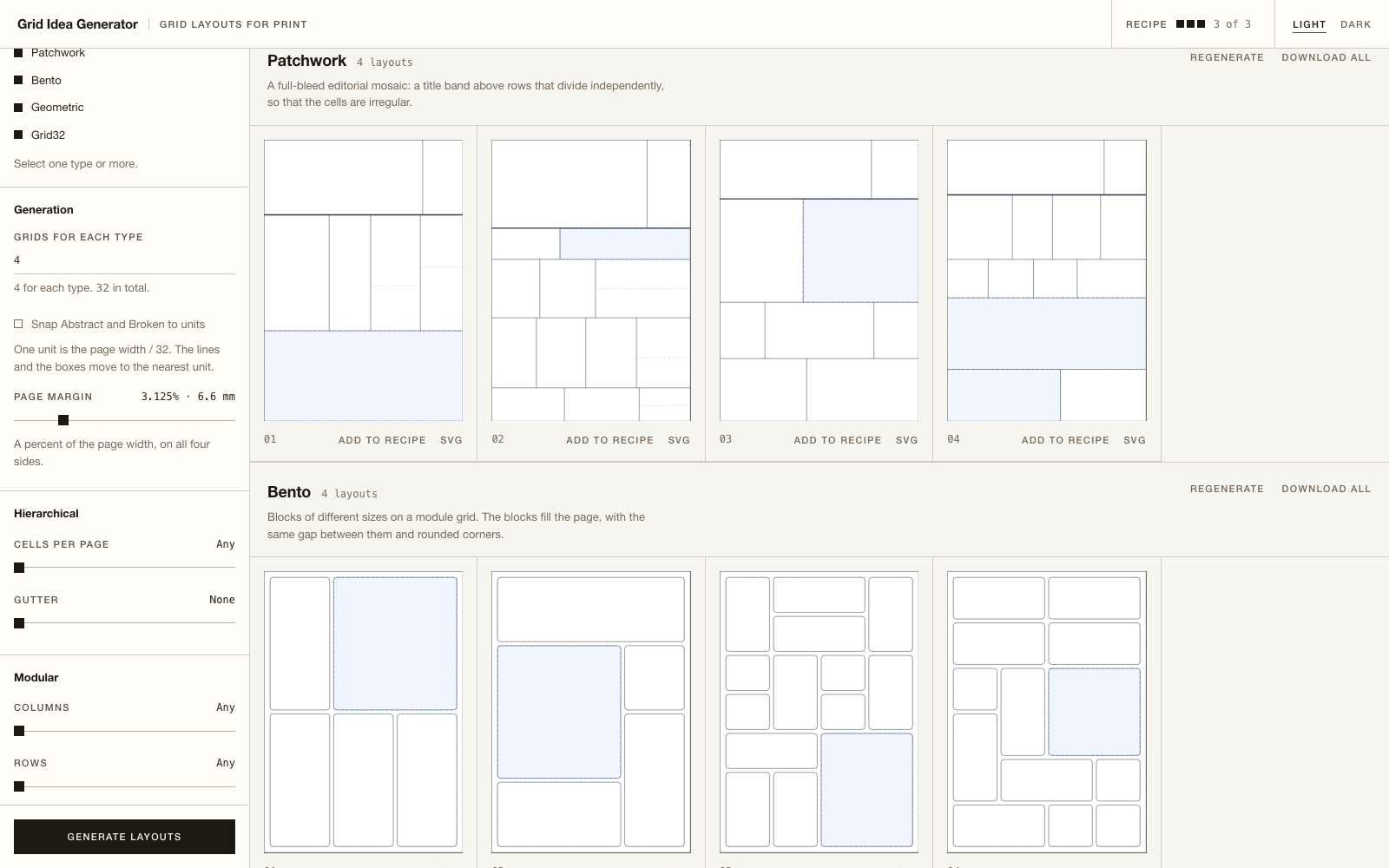
  • Grid from Grid Idea Generator: hierarchical, modular, broken, patchwork, bento and geometric layouts for a print page.
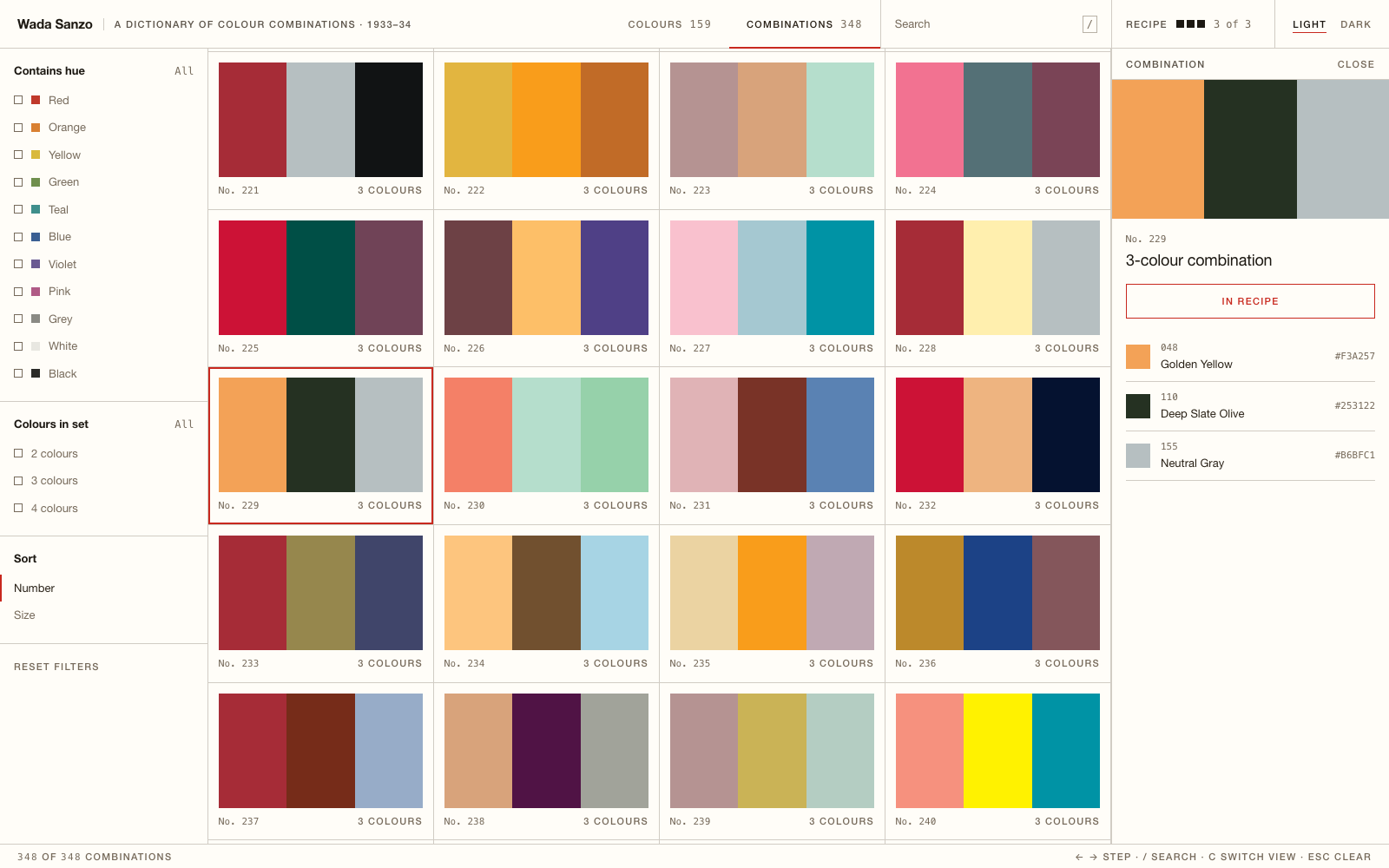
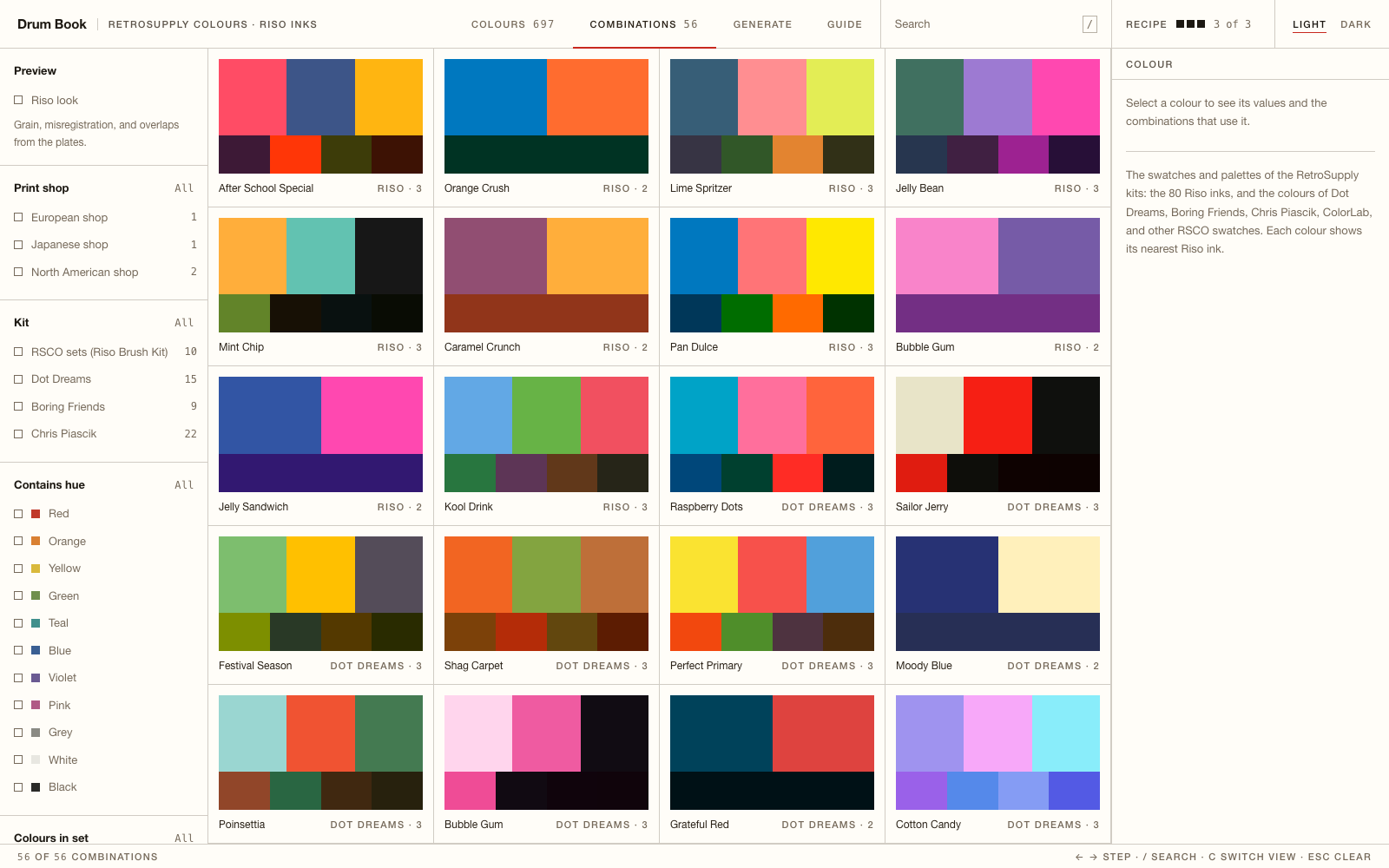
  • Colour from Wada Sanzo (348 combinations from Sanzo Wada's 1930s dictionary, with the CMYK values of the book) or from Drum Book (Riso inks and their combinations).
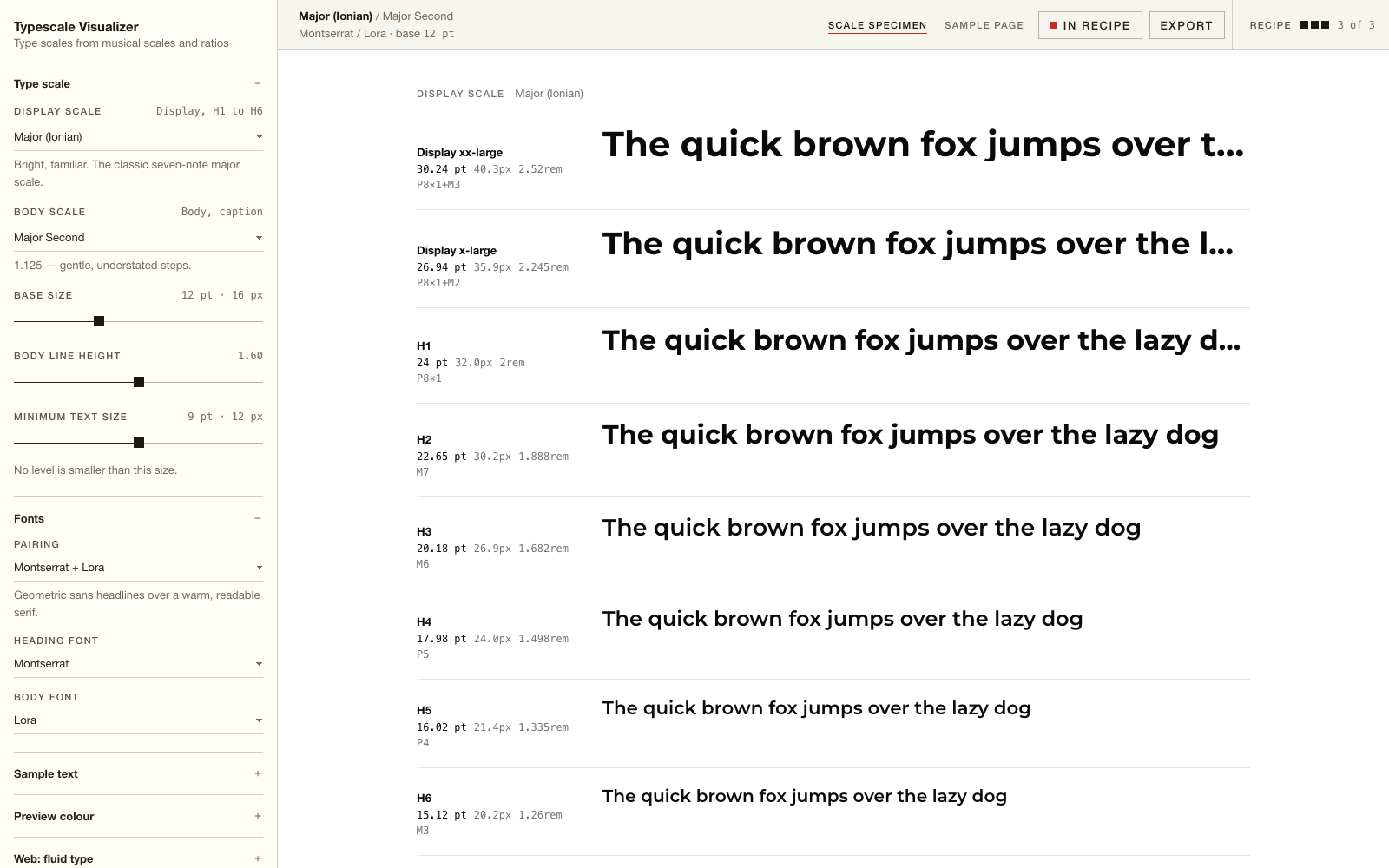
  • Type from Typescale Visualiser: type scales built from musical scales, with real font styles.

What the export makes

  • An InDesign file with the page, guides, frames, swatches, paragraph styles and a baseline grid.
  • An Illustrator script, because Illustrator does not open IDML files.
  • An ASE swatch file, with tints and shades of each colour.
  • For a Riso palette, an option to export spot colours with overprint, as for a real Riso print.

How I built it with AI

The three apps share one small design system. Its files live in one place, and a sync script copies them into each app. Claude Code built the recipe in steps that I planned and numbered, from the first "Add to recipe" button to the InDesign export, the Riso colour styles and the export dialog. Each step has a date and a status in the design system notes.

I checked every export in InDesign and Illustrator myself. Some details only show there: font style names, tint swatches, or the way Illustrator renames swatches. When a check failed, the fix and the reason went into the notes, so the next session started from the facts.

Key insights

  • Small tools become a system when they share one data shape. The recipe is the contract between the apps.
  • The preview and the export use the same rules. What I see is what InDesign opens.
  • Check the real output. The last details of print work only show in InDesign and Illustrator.

Outcome

The first full flow worked on 17 October 2026: three slots, one export, one InDesign file. In the following weeks the recipe gained a second colour source (Riso inks from Drum Book), installed fonts, an Illustrator script, shade palettes, colour arrangements and an export dialog.

Now a poster idea moves from layout to colour to type to a print file without a rebuild, and every file opens ready to edit.

Reflection

The tools did not change much. What changed is that they can finally talk to each other.
The Print Recipe export dialog with a patchwork poster in Wada combination 229

The export dialog: the poster, the mode, and one button each for InDesign and Illustrator.

Grid Idea Generator showing patchwork and bento layouts

Grid Idea Generator: layout ideas by grid type. Each layout has Add to recipe.

Wada Sanzo: combination 229 in the recipe, with the colour numbers from the book.

Wada Sanzo: combination 229 in the recipe, with the colour numbers from the book.

Typescale Visualiser: a type scale built from the major scale, in Montserrat and Lora.

Typescale Visualiser: a type scale built from the major scale, in Montserrat and Lora.

Drum Book: Riso ink combinations, the second colour source for the recipe.

Drum Book: Riso ink combinations, the second colour source for the recipe.

Drum Book: Riso ink combinations, the second colour source for the recipe.

← All projects

Working on something similar?

I like to compare notes with people who design, build and make. Let's talk.

Let's connect